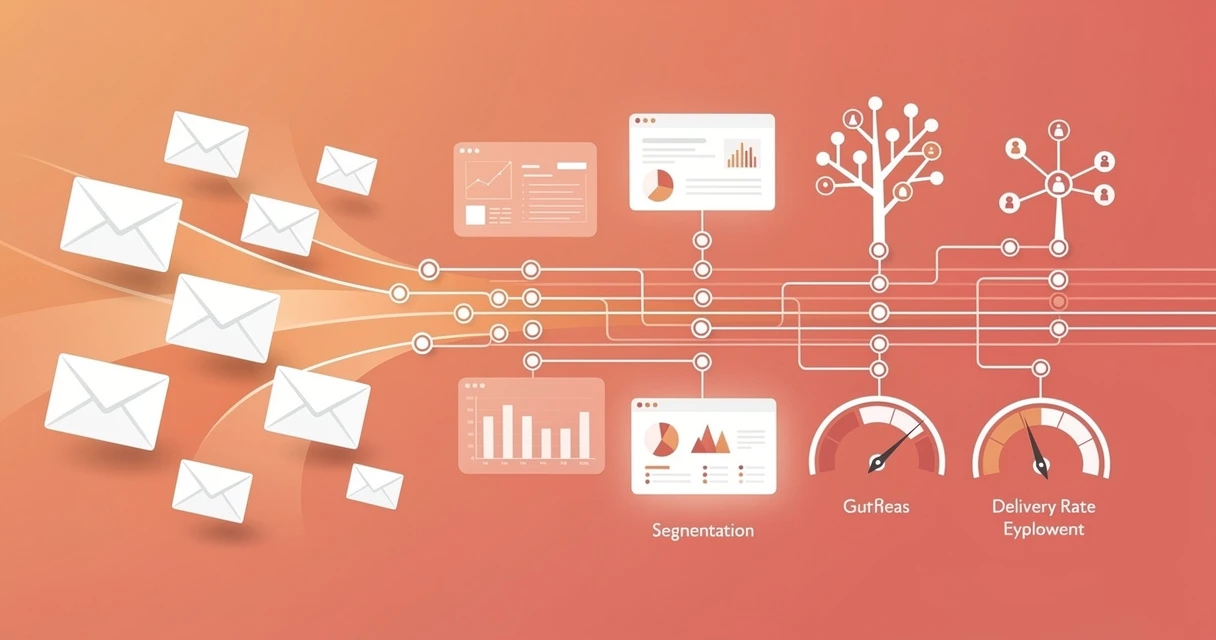
Email deployment is the operational backbone of every email marketing program. Most marketers focus on copy and design — but the teams that consistently hit 25%+ open rates and 3%+ CTRs have cracked the deployment layer first.
The difference between a 15% open rate and a 35% open rate often isn’t the subject line. It’s list hygiene, sending infrastructure, segmentation logic, and deliverability setup. Get deployment right, and every other element of your email program compounds. For the foundational email marketing best practices that sit alongside deployment — segmentation, subject line testing, and performance measurement — see our dedicated guide.
This guide covers everything from infrastructure choices to segmentation frameworks to the metrics that actually tell you if your deployment is working.
What Is Email Deployment?
Email deployment refers to the end-to-end process of sending commercial email at scale — from preparing your list and configuring your infrastructure to scheduling sends, monitoring delivery, and analyzing results.
It sits one layer below “email marketing strategy” and one layer above individual campaign execution. Think of it as the plumbing that makes your campaigns actually reach inboxes.
Deployment vs. Email Marketing
These terms are often conflated, but they describe different scopes:
| Scope | Focus |
|---|---|
| Email marketing | Strategy, content, offers, audience targeting |
| Email deployment | Infrastructure, deliverability, sending mechanics, list health |
| Email campaign | A single send or automation sequence |
A strong email marketer who ignores deployment will eventually hit a wall — declining open rates, rising bounce rates, and spam folder placement. Deployment is what lets you scale.
The Email Deployment Stack
A professional email deployment setup has four layers:
- ESP (Email Service Provider): The platform you use to compose, schedule, and send (Klaviyo, ActiveCampaign, Mailchimp, etc.)
- Sending infrastructure: Dedicated or shared IP addresses and SMTP relay
- Authentication: SPF, DKIM, and DMARC DNS records
- List management: The database of subscribers, segments, suppression lists
Your choice of email marketing platform determines what’s available at each layer. Enterprise-grade ESPs give you dedicated IPs and granular deliverability controls. Entry-level tools share IP pools and give you less control over sender reputation.
When Deployment Becomes the Bottleneck
Most email programs hit deployment problems at one of three stages:
- Scaling past 10,000 subscribers: Shared IP reputation starts to be affected by your sending behavior
- Adding automation sequences: More concurrent sends surface deliverability gaps faster
- Moving platforms: Migrating lists without re-authentication or re-engagement campaigns kills open rates
Address deployment infrastructure before these inflection points, not after.
Building Your Email Deployment Infrastructure
The right infrastructure depends on your sending volume, frequency, and audience. Here’s how to build it right.
Choosing Your ESP
Not all ESPs are equal from a deployment standpoint. The critical factors are:
- Dedicated IP availability: Can you send from your own IP, not a shared pool?
- Deliverability tools: Does the platform provide inbox placement testing, blacklist monitoring, and sender score data?
- SMTP relay options: Can you send transactional emails through the same platform?
- Suppression list management: Automatic bounce handling and unsubscribe processing?
For B2B marketers sending fewer than 50,000 emails per month, a high-quality shared IP pool (Mailchimp, MailerLite, ActiveCampaign) is sufficient. Above 50,000 monthly sends, dedicated IPs become worth the investment.
Litmus’s annual email client survey consistently shows that deliverability issues — not design — are the primary cause of poor email performance.
Setting Up Authentication Records
Authentication is non-negotiable. Gmail and Yahoo’s 2024 sender requirements made SPF, DKIM, and DMARC mandatory for bulk senders. Without them, your emails go straight to spam.
SPF (Sender Policy Framework) An SPF record in your DNS specifies which servers are authorized to send email from your domain. Example:
- Add your ESP’s sending servers to your domain’s TXT record
- Prevents spoofing of your “from” domain
DKIM (DomainKeys Identified Mail) DKIM adds a cryptographic signature to every outgoing email that receiving servers use to verify authenticity. Your ESP will provide a CNAME or TXT record to add to your DNS.
DMARC (Domain-based Message Authentication)
DMARC tells receiving servers what to do with emails that fail SPF/DKIM checks. Start with p=none (monitoring mode) to collect data before moving to p=quarantine or p=reject.
Setting up all three reduces spam placement rates by 70-90% for new sender domains, according to Campaign Monitor’s deliverability benchmarks.
IP Warming
If you’re starting on a dedicated IP or migrating platforms, IP warming is essential. ISPs treat new sending IPs as suspicious until they’ve established a sending history.
A standard 6-week warming schedule:
| Week | Daily Send Volume |
|---|---|
| 1 | 200-500 |
| 2 | 1,000-2,000 |
| 3 | 5,000-10,000 |
| 4 | 20,000-40,000 |
| 5 | 75,000-100,000 |
| 6 | Full volume |
During warming, only send to your most engaged subscribers — people who’ve opened in the last 90 days. High engagement signals build reputation faster.
Want to scale your email deployment? GrowthGear has helped 50+ startups build email programs that generate consistent returns. Our clients see 156% average growth across digital channels. Book a Free Strategy Session to audit your current deployment setup.
Segmentation and Personalization at Scale
Segmented email campaigns generate 760% more revenue than broadcast sends, according to Campaign Monitor. Segmentation isn’t a nice-to-have — it’s the primary driver of email ROI at scale.
The Four Segmentation Dimensions
Effective email deployment segments subscribers across four dimensions:
1. Demographic
- Industry, company size, job title (B2B)
- Age, location, gender (B2C)
- Acquisition source (organic, paid, referral)
2. Behavioral
- Purchase history and frequency
- Email engagement tier (active vs. dormant)
- Website activity and product views
- Stage in the customer lifecycle
3. Psychographic
- Self-reported preferences (via preference centers)
- Content consumption patterns
- Response to past promotions vs. educational content
4. Predictive
- Churn risk score
- Likelihood to purchase
- Optimal send time (individual-level, via AI)
Most marketers use demographic + behavioral. Adding predictive segmentation — available in platforms like Klaviyo and ActiveCampaign — typically lifts revenue per email by 20-40%.
Building Engagement Tiers
Engagement-based segmentation is one of the highest-leverage deployment tactics. Divide your list into tiers by recency and frequency of engagement:
| Tier | Definition | Send frequency |
|---|---|---|
| Champions | Opened 3+ of last 5 sends | Every send |
| Engaged | Opened in last 60 days | Every send |
| At-risk | No open in 60-120 days | 2x/month + re-engagement |
| Dormant | No open in 120+ days | Re-engagement only |
| Sunset | No open in 180+ days | Suppress or remove |
Sending to dormant segments hurts your sender score. Most successful email programs suppress subscribers after 6 months of no engagement, reducing list size but improving deliverability metrics across the board.
Dynamic Content vs. Separate Campaigns
Two approaches to personalization at scale:
Dynamic content blocks: One campaign with conditional content that shows different blocks to different segments based on rules. Reduces production time; works well for moderate personalization needs.
Separate campaigns per segment: Fully customized emails per audience. Higher relevance; more production effort. Best for high-value segments with significantly different needs.
For most teams, dynamic content handles 80% of segmentation needs. Reserve separate campaigns for your top 20% of customers and VIP segments.
For B2B programs, email personalization integrates tightly with CRM data. Platforms like Salesforce, HubSpot, and other CRM tools for small business teams push contact-level data directly into your ESP for real-time segmentation.
Deliverability: Getting Past the Spam Filter
Deliverability is the measure of how reliably your emails reach the inbox (vs. spam folder or a blocked bounce). It’s the most technical aspect of email deployment — and the most commonly neglected.
Understanding Sender Reputation
Every sending IP and domain has a reputation score maintained by ISPs like Gmail, Yahoo, and Microsoft. Reputation is calculated from:
- Spam complaint rate: Keep below 0.10% (Gmail’s threshold is 0.08%)
- Hard bounce rate: Keep below 2%
- Engagement rate: High opens/clicks signal legitimate, wanted mail
- Sending consistency: Irregular large-volume sends trigger filters
HubSpot’s email marketing research consistently shows that sender reputation is the #1 factor in deliverability outcomes — above content and subject line.
List Hygiene Practices
Poor list hygiene is the leading cause of deliverability decline. Implement these practices on a rolling basis:
- Verify emails on capture: Use double opt-in or real-time email validation to prevent fake/misspelled addresses
- Remove hard bounces immediately: Every hard bounce is a permanent deliverability signal
- Process soft bounces: After 3 consecutive soft bounces, suppress the address
- Run periodic list cleaning: Use a service like NeverBounce or ZeroBounce to validate addresses quarterly
- Honor unsubscribes within 10 days: Required by CAN-SPAM; process immediately in practice
A list that’s 90% deliverable performs far better than a bloated list at 70% deliverability, even if the raw number of emails sent is lower.
Spam Filter Triggers
Modern spam filters use machine learning, but certain content patterns still consistently trigger filtering:
Content triggers to avoid:
- Excessive capitalization (ALL CAPS subject lines)
- High image-to-text ratio with minimal readable text
- URL shorteners that obscure destination
- Phrases like “Act now,” “Free money,” “100% guaranteed”
- Missing physical address in footer
- Missing or broken unsubscribe link
Technical triggers:
- Sending from a free email domain (gmail.com, yahoo.com)
- No DMARC record when SPF/DKIM is configured
- HTML that renders broken in major email clients
- Sudden large volume increases without warming
Use Mailchimp’s inbox preview and spam testing tools or a dedicated tool like Litmus or Email on Acid before every major send.
Re-engagement Campaigns Before Sunsetting
Before suppressing dormant subscribers, run a structured re-engagement sequence. A 3-email sequence over 30 days typically reactivates 5-15% of dormant contacts:
- Email 1 (Day 0): “We miss you” — personalized reminder of value, no hard sell
- Email 2 (Day 14): Incentive offer — discount, free resource, or exclusive content
- Email 3 (Day 30): “Last chance to stay” — clear opt-in confirmation required
Contacts who don’t engage after the sequence get suppressed. This protects your sender reputation and keeps your conversion rate optimization metrics accurate by removing noise from your engagement data.
Grow Your Email Program, Grow Your Business
Effective email deployment isn’t just about hitting send — it’s about building an infrastructure that makes every campaign more effective than the last. Whether you’re setting up your first dedicated IP, restructuring your segmentation model, or troubleshooting a deliverability problem, GrowthGear can help you build an email engine that drives consistent, compounding returns.
Book a Free Strategy Session →
Measuring Email Deployment Success
The metrics that matter most aren’t the ones most dashboards show by default. Here’s how to measure deployment effectiveness at each layer.
Primary Deployment Metrics
| Metric | Target | Action if below target |
|---|---|---|
| Delivery rate | >98% | Investigate bounces, check IP reputation |
| Inbox placement rate | >85% | Review authentication, audit content |
| Open rate | >22% (B2B >28%) | Test subject lines, improve segmentation |
| Click-to-open rate | >15% | Improve email content and CTAs |
| Unsubscribe rate | <0.2% | Reduce frequency or improve targeting |
| Spam complaint rate | <0.08% | Immediate list hygiene audit |
Inbox placement rate is distinct from delivery rate. Delivery rate counts emails that don’t hard bounce. Inbox placement rate measures how many land in the inbox vs. spam — typically tracked via seed testing with tools like Litmus or 250ok.
Revenue Attribution
Track these to connect deployment to business outcomes:
- Revenue per email sent: Total attributable revenue / number of emails sent. Strong programs hit $0.10-$0.40 per email
- Revenue per subscriber per month: Measures overall program productivity
- Email-attributed conversion rate: What percentage of email clicks convert to purchase or lead
Connect your ESP to Google Analytics 4 using UTM parameters on every link. Build an email traffic segment in GA4 to track email-sourced conversions in the same funnel as your other channels.
Benchmarks by Industry
Mailchimp’s benchmarks database shows significant variation by sector:
| Industry | Avg Open Rate | Avg CTR |
|---|---|---|
| B2B / SaaS | 25.3% | 3.2% |
| E-commerce | 18.5% | 2.7% |
| Marketing agencies | 20.4% | 2.1% |
| Non-profit | 26.6% | 2.9% |
| Real estate | 21.7% | 1.8% |
If you’re 5+ points below your industry average on open rate, the problem is usually segmentation or subject line quality. If click rate is low despite strong opens, the problem is email body content or CTA placement.
Connecting Email to Your Broader Funnel
Email doesn’t operate in isolation. The most effective programs treat email deployment as one layer of a multichannel system. Your sales funnel architecture should define which email sequences fire at which funnel stage — welcome sequences for new leads, nurture sequences for mid-funnel, and conversion sequences for bottom-funnel.
For lead generation programs, email pairs directly with B2B lead generation strategies — email deploys to captured leads, and performance data feeds back into your lead scoring model.
Use AI-powered data analysis tools to identify patterns across your deployment data that manual analysis misses: optimal send times per segment, content topics that correlate with purchases, and subscriber cohorts with the highest lifetime value.
For a broader view of how email performance connects to marketing ROI, marketing attribution modeling gives you the framework to properly credit email’s contribution alongside paid, organic, and social channels.
Strong email deployment is also a key skill for digital marketing specialists — teams that understand the deployment layer have a significant advantage in scaling email programs sustainably.
Email deployment rewards methodical thinking. Build the infrastructure correctly first — authentication, list hygiene, engagement-based segmentation — then optimize for content and personalization. The teams that treat deployment as an afterthought spend their time firefighting deliverability problems. The teams that get it right spend their time scaling what works.
Frequently Asked Questions
Email deployment is the process of sending bulk email campaigns through an ESP or SMTP infrastructure — covering scheduling, list management, segmentation, and monitoring delivery rates.
Authenticate your domain with SPF, DKIM, and DMARC records, maintain list hygiene by removing inactive contacts, and warm up new IP addresses gradually to build sender reputation.
The average email open rate across industries is 21-23%. B2B emails typically see 25-30% opens. Rates above 30% indicate strong list quality and relevance.
Most B2B marketers see best results with 2-4 sends per month. E-commerce brands can send more frequently — 1-3 times per week — with proper segmentation to avoid fatigue.
Email list segmentation divides your subscriber base into groups by behavior, demographics, or engagement level. Segmented campaigns generate 760% more revenue than one-size-fits-all sends.
Professional email deployment uses dedicated IPs or high-reputation shared IP pools through ESPs like Klaviyo, ActiveCampaign, or Mailchimp — combined with SPF/DKIM/DMARC authentication.
Track open rate, click-through rate, conversion rate, revenue per email, bounce rate (keep below 2%), and unsubscribe rate. Revenue per email is the most direct indicator of ROI.